Write article XML
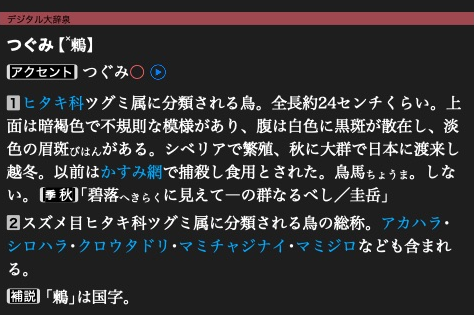
大辞泉’s 鶫 article is an XML document rendered by the app.
The article pane renders XML independently of the headline shown in the result list.
Use the unfinished dictionary from the first dictionary.
Add an article
article_xml = """<html xmlns="http://www.w3.org/1999/xhtml" hmhtml="5" lang="ja">
<head><title>鶫</title></head>
<body><h1>鶫(つぐみ)</h1><p>冬に日本で見られる鳥。</p></body>
</html>"""

entry = dictionary.create_entry()
target = entry.target
entry.write_xml(article_xml)
constexpr std::string_view articleXml = R"(<html xmlns="http://www.w3.org/1999/xhtml" hmhtml="5" lang="ja">
<head><title>鶫</title></head>
<body><h1>鶫(つぐみ)</h1><p>冬に日本で見られる鳥。</p></body>
</html>)";

auto entry = dictionary.createEntry().value();
const auto target = entry.target();
entry.writeXml(articleXml).value();
Supply a complete UTF-8 XML document using the native article markup shown above.
The namespace is part of that markup. createEntry() / create_entry() allocates
a page ID. target refers to the whole article.
Structure the document
Use UTF-8 XML with the native namespace and hmhtml="5". Put the title and
stylesheet links in <head>, then the displayed article in <body>.
<html xmlns="http://www.w3.org/1999/xhtml" hmhtml="5" lang="ja">
  <head>
    <title>鶫</title>
    <link rel="stylesheet" href="dictionary.css"/>
  </head>
  <body>
    <headword>鶫</headword>
    <meaning>冬に日本で見られる鳥。</meaning>
  </body>
</html>
You may choose your own element names. Custom elements begin inline, so give
sections display: block in the stylesheet. Add referenced assets
before finishing the dictionary. Escape XML special characters in imported text.
InlineText handles escaping when constructing fragments.
Each article also needs a headline and search keys. Allocate any subentry targets before writing its XML.
Next: Define headlines.