Understand native search rules
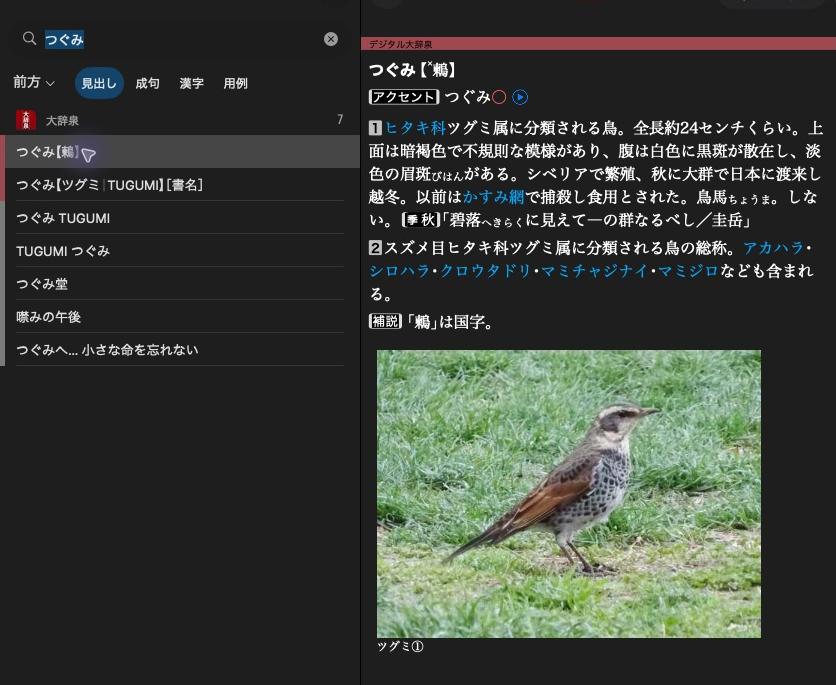
大辞泉 shows a headline in the result list and the selected article beside it.
The same query can follow different lookup rules in different dictionaries.
Dictionary-specific search rules
Native selects the supported search rules described by the product's metadata.
You do not select an algorithm class yourself. Depending on the dictionary and
scope, those rules can change which indexes are consulted, split a query into
terms and intersect their results, try inflections, or retry another scope.
| Dictionary / search | Behaviour under Native |
|---|---|
| 大辞泉 headwords | Includes supplementary headword indexes when present, as well as the main headword index. |
| 角川新字源 headwords | Searches both headword and idiom indexes. Kanji selects its headword index, while Idiom selects its idiom index. |
| 古語 dictionaries such as 全訳古語辞典 | Use their configured kana and numeral normalisation. Some scopes use character-component matching and sorting-headline filtering. |
| 詩語集 example and sense searches | Intersect character-component matches, with sorting-headline filtering for multi-character terms. |
The algorithm is not identical across these dictionaries. A scope's name alone does not determine the lookup steps. Native rules are implemented for recognised profiles, rather than by calling the native app. Linguistic support can vary by platform.
recognised = search.supports_native_search
bool recognised = search.supportsNativeSearch();
An unrecognised native profile returns an error on native search. Direct lookup
with None can still work if the dictionary's normalisation is supported.
Inspect how a query matched
effective_scope = result.scope
for match in result.matches:
    key, mode, origin = match.key, match.match, match.origin
auto effectiveScope = result.scope;
for (const auto& match : result.matches)
{
    auto key = match.key;
    auto mode = match.match;
    auto origin = match.origin;
}
scope is the scope that produced the results. matches describes the normalised
query terms or variations that contributed to the search, including their actual
match mode and origin (Query, Inflection, Compound, or JoinedQuery). It is
search-level information, not a list of matching substrings for each entry.
Results follow stored index order and applicable native ordering rules, not a relevance score. No matches is a successful empty result.
Next: Create your first dictionary.