Article CSS
For examples in context, see Styling articles. Rendered results are screenshots from Monokakido 1.4.6.
Layout and appearance
| Feature | Syntax and use | Rendered |
|---|---|---|
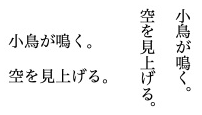
| Writing direction | body { writing-mode: vertical-rl; }. The parser also accepts horizontal-tb and vertical-lr. Set the article direction on body. |
 |
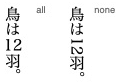
| Horizontal group | text-combine-horizontal: all keeps a short span together. none restores normal orientation. Apply all to the number or label, not the whole paragraph. |
 |
| Upright characters | text-combine-horizontal: full-width makes individual Latin letters and digits upright. It does not rewrite them as full-width Unicode characters. |
 |
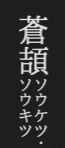
| Warichu | display: warichu; font-size: 0.5em divides an annotation into two small lines. |
 |
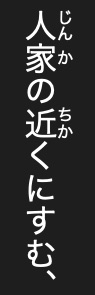
| Ruby | display: ruby, ruby-base, ruby-text style the container, base and reading. Use ruby markup. |
 |
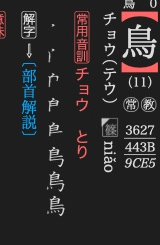
| Gaiji images | display: gaiji; height: 1.1em gives an image text-like placement and colouring. See gaiji registration. |
 |
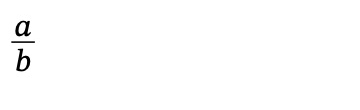
| Mathematics | display: math interprets formula text. See the notation reference. |
 |
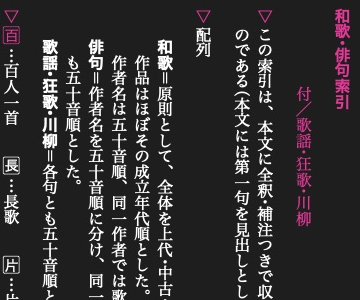
| Hanging marker | display: hang places a marker outside the paragraph's text edge. |
 |
| Arrow border | border-shape: arrow-box or arrow-box-lr points one way, arrow-box-rl the other. default restores an ordinary border. |
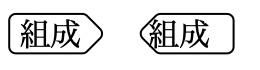 Official example Official example |
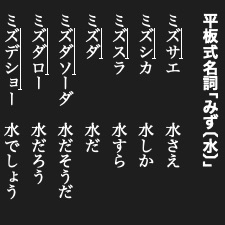
| Pitch accent | text-decoration: accent draws a high-pitch line and final drop. |
 |
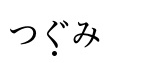
| Midpoint dot | text-decoration: midpoint puts one dot at the middle of the decorated span, not one dot per character. |
 |
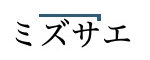
| Decoration colour and width | text-decoration-color: #175C80; text-decoration-width: 0.12em adjusts a decoration. |
 |
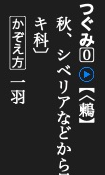
| Font glyph | glyph: 11307 selects a glyph ID in the current font. It is not a Unicode code point. |
 |
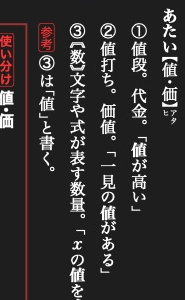
| Font feature | glyph-form: ital selects one four-character OpenType feature tag. Other tags, such as jp90, depend on the font. |
 |
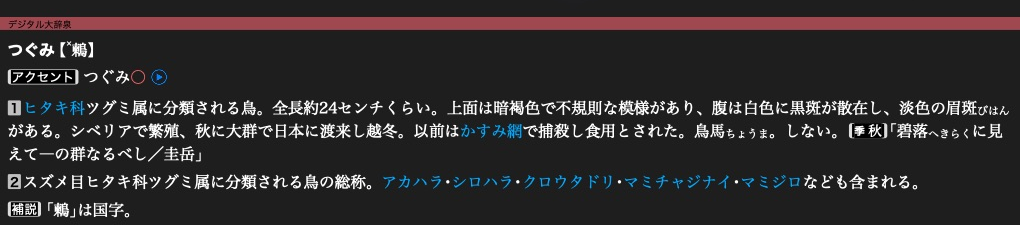
| Named and night colours | @color birb-blue = #175C80; defines a name for color, background-color and borders. Override the name in the sibling -nightmode.css stylesheet. |
 |
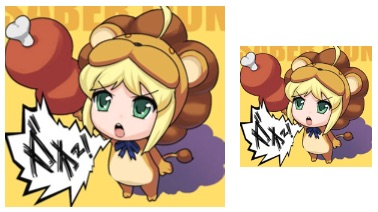
| Image scale | img { zoom: 60%; } scales the image's natural dimensions before fitting it to the available space. normal restores 100%. This does not scale ordinary text. |
 |
Selection & copying
These controls only affect interaction.
| Property | Behaviour | Rendered |
|---|---|---|
word-select: word |
Expands a word selection. | 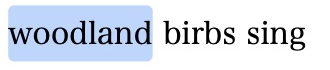 |
word-select: character |
Suppresses word expansion. Double-clicking no longer selects the whole word. | 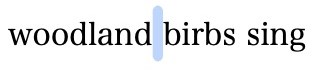 |
user-select: none |
Prevents selection of the span. text allows it, auto uses the default. The -webkit-user-select is also accepted. |
 |
user-select: nocopy |
Leaves text visible but excludes it from copied text. Copying this paragraph yields only Copied birb. |
 |
speech: disabled / enabled |
Excludes or includes text in native read-aloud. Here playback begins with The, skipping Silent birb. |
 |