Search and open results
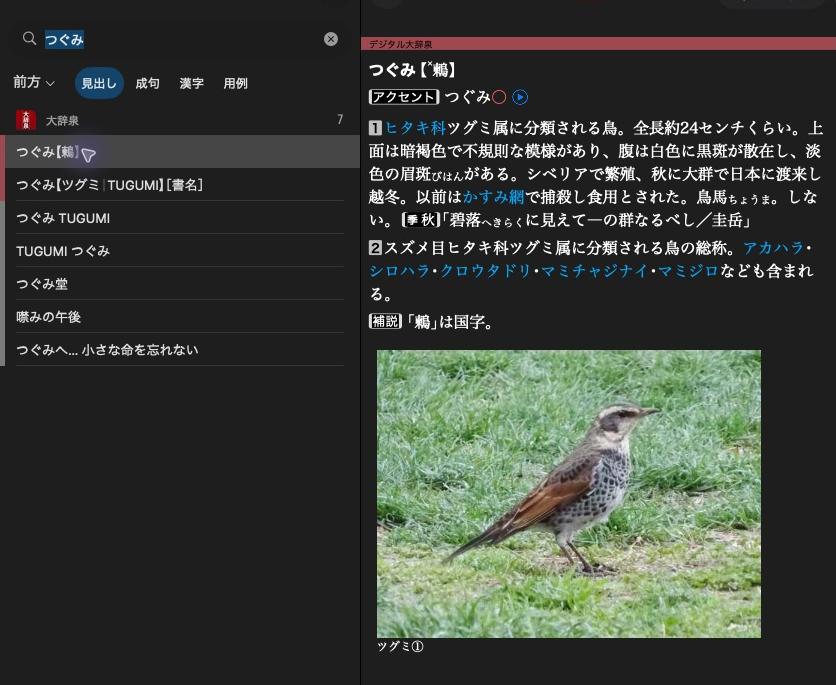
大辞泉 shows a headline in the result list and the selected article beside it.
Use 大辞泉 opened through Open a dictionary. Create a search object and reuse it for subsequent queries:
search = mkd.DictionarySearch(dictionary)
result = search.search("つぐみ")
MKD::DictionarySearch search(*dictionary);
auto result = search.search("つぐみ").value();
This searches headwords by prefix, using the dictionary's native rules. In 大辞泉 it finds the bird 鶫 and a book titled つぐみ, among other entries beginning with that reading. Search uses indexed keys, not the displayed XML text.
Read the results
for entry in result:
    headline = dictionary.headline_for_entry_id(entry)
    xml = dictionary.entry_xml(entry.page_id)
The result is an iterable sequence of EntryId values. Use len(result)
and result[index] to inspect it. entry_xml() returns the complete article
XML as a Python string.
for (const auto& entry : result.entries)
{
    auto headline = dictionary->headlineForEntryId(entry).value();
    auto xml = dictionary->entryUtf8ById(entry.pageId).value();
}
result.entries contains ordered page/anchor targets. entryUtf8ById()
returns the complete article XML as an owning UTF-8 string.
A headline can contain native formatting tokens. Article lookup returns the entire page even when the target refers to an anchor within it.
Limit or cancel a search
limited = search.search("つ", limit=20)
Python searches currently have no cancellation token argument.
std::stop_source cancellation;
auto limited = search.search("つ", {.limit = 20}, cancellation.get_token());
Another thread can call cancellation.request_stop(). Cancellation returns
an error. Each call has an independent cancellation token.
limit = 0 means unlimited. Limits apply after filtering and ordering, and
result.truncated reports omitted results. This is a result-size limit, not a
bound on work performed. Calls on the same search object may run concurrently.
Next: Choose scopes and matching.