Browse native indexes
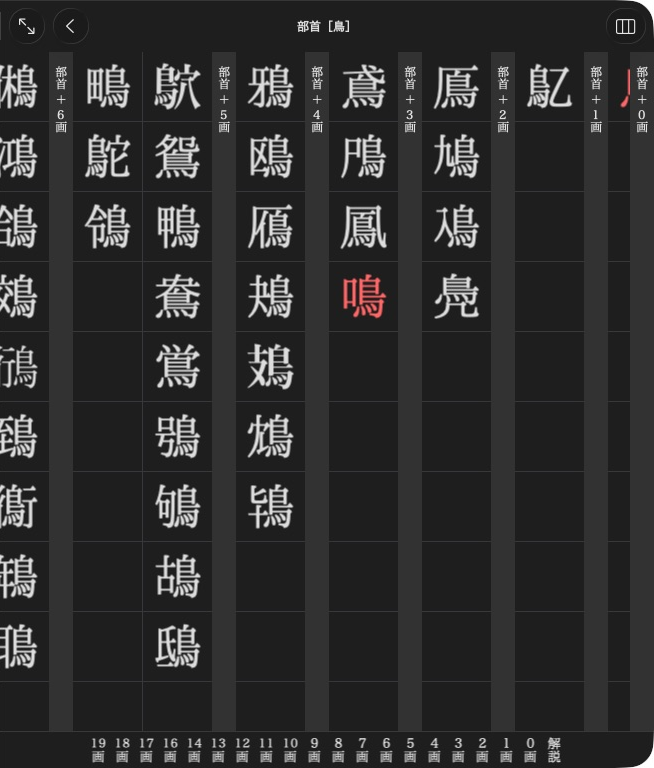
旺文社漢字典 groups 鳥 entries by the number of strokes outside the radical.
Indexes are category trees, separate from search results and article order. Use an open product.
Browse native indexes
Native indexes organise entries into categories, radicals, readings or stroke groups. They are separate from search results and article browsing order.
navigation = product.navigation
if navigation is not None:
    for section in range(navigation.section_count):
        print(navigation.section_title(section))
        for index in range(navigation.item_count(section)):
            item = navigation.item_at(section, index)
            print(item.label, item.target)
auto navigation = product.navigation().value();
if (navigation) {
    for (size_t section = 0; section < navigation->sectionCount(); ++section) {
        auto title = navigation->sectionTitle(section).value();
        for (size_t index = 0; index < navigation->itemCount(section).value(); ++index) {
            auto item = navigation->itemAt(section, index).value();
            // Inspect item.label and item.target with std::visit or std::get_if.
        }
    }
}
A target is another NavigationView, an AppendixEntryLink, an
AppendixDocument, or an empty spacer. Follow a child view with the same indexed
access. Entry labels may be text, a RadicalLabel, or an AppendixEntryLink
whose headline supplies the label. An empty label uses the target's headline.
Opening reads only the root. Child indexes are opened as their items are read,
and article bodies remain untouched. Child views retain their data after the
product closes. A product with ordinary appendix menus returns None /
std::nullopt.
Next: Read appendix menus.